PanTech Weather Station Wireless Australia – Gen 5 IoT PT‑HP2550 (Solar) | Smart Rain Gauge & Anemometer
Excerpt: The PanTech Weather Station Wireless Australia PT‑HP2550 is a solar‑powered, Gen‑5 IoT smart weather monitor with rain gauge and anemometer. It’s built for Australian conditions, giving households, farms, councils and volunteer brigades live, hyper‑local weather for planning, safety, and maintenance.
Overview
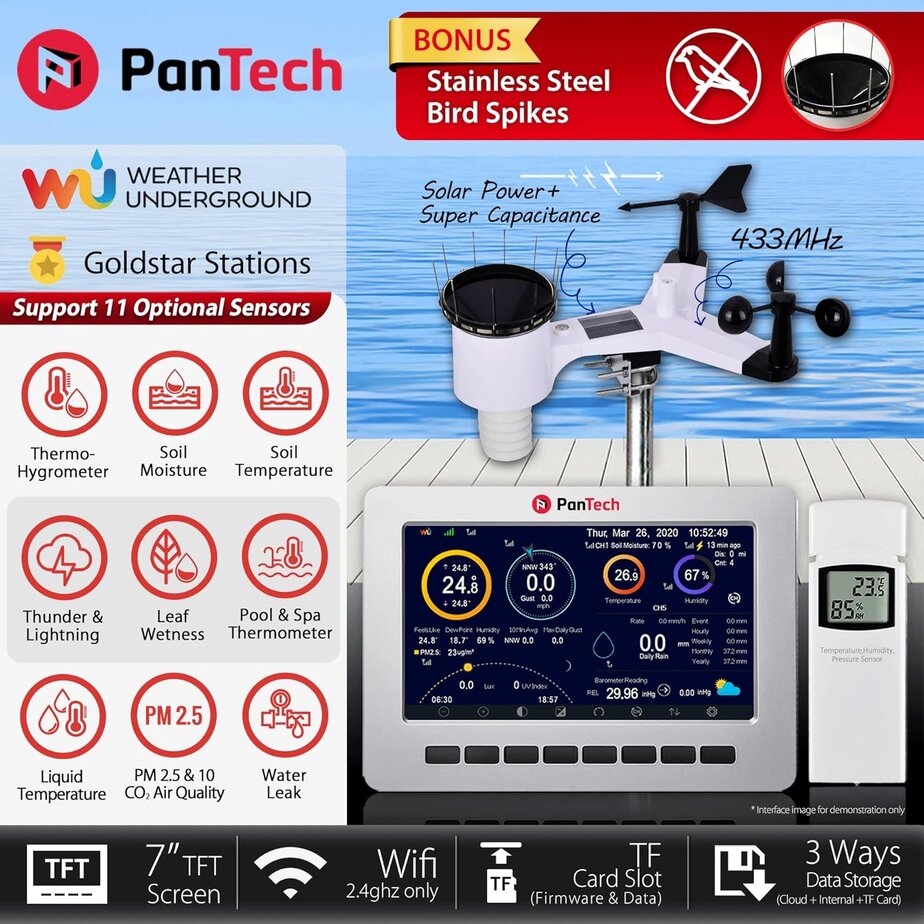
The PanTech Weather Station Wireless Australia PT‑HP2550 is a robust, solar‑powered, Wi‑Fi connected weather system designed for Australian homes, farms, schools, councils, and volunteer fire brigades. The package integrates a precision tipping‑bucket rain gauge, a cup anemometer and vane for wind speed/direction, temperature and humidity sensors, UV/solar radiation, and barometric pressure—streaming live observations to a colour console and the cloud. The Gen‑5 IoT architecture pairs fast wireless sensors with a stable hub, so you can see wind gusts in near real‑time and receive rainfall totals that match local showers, not the nearest airport. In regions where micro‑climates matter—sea breezes on the coast, dry winds in the Mallee, or storms building in the ranges—the ability to watch conditions at your location is invaluable for safety and planning.
This model emphasises easy installation (pole or mast), low maintenance via a solar‑assisted power system with battery backup, and open connectivity to apps and dashboards. Whether you’re checking fire‑weather indicators on a high‑risk afternoon, managing irrigation for a veggie patch, or scheduling a safe window for roof work, the PanTech Weather Station Wireless Australia keeps you informed with dependable local data.
Typical users include: rural households, hobby farmers, caravan park managers, council depots, SES units, CFA/FRV brigade sheds, and anyone who wants a reliable picture of the weather right now—not a forecast guess.
Key Features
Solar + Battery Power
Solar cell keeps sensors running with battery backup for overnight and cloudy periods—reduced maintenance compared to mains‑powered setups.
Gen‑5 IoT Connectivity
Fast wireless update intervals to the colour console and cloud; integrates with popular weather platforms and mobile apps for alerts and sharing.
Rain Gauge (Tipping‑Bucket)
Accurate local rainfall totals with fine resolution—helpful for garden irrigation, tank management, and post‑storm reporting.
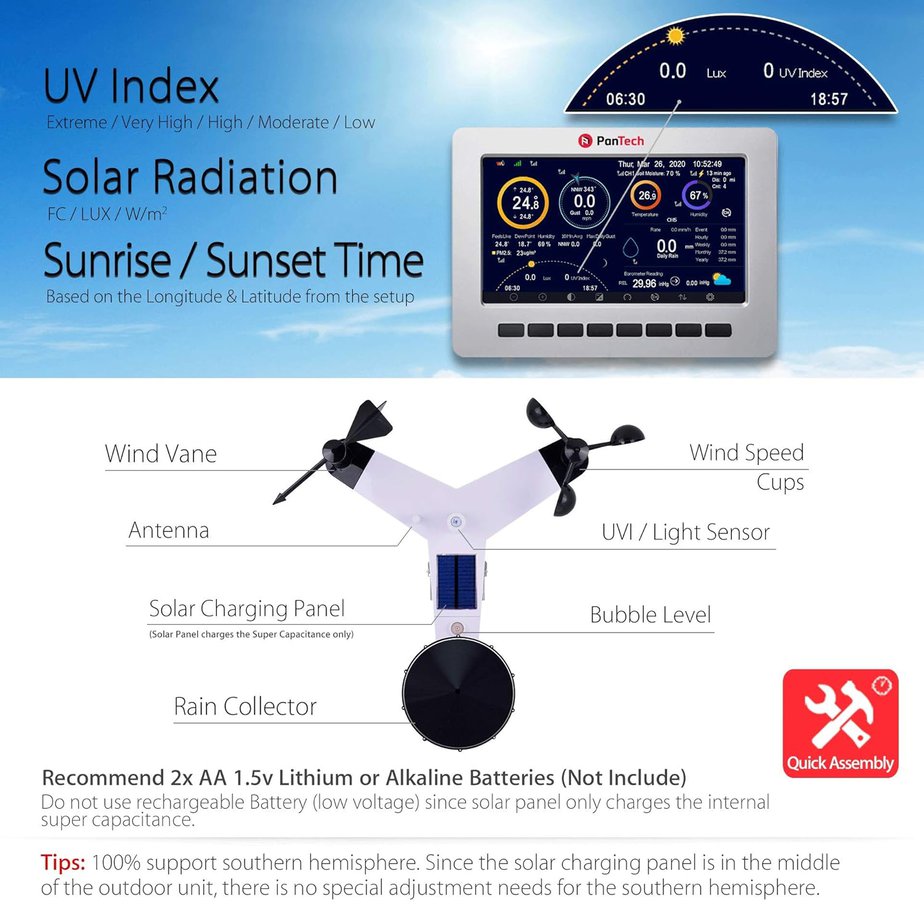
Anemometer + Wind Vane
Track mean wind, gusts, and direction—useful for fire‑ground planning, shed operations, drone flying limits, and boating nearby.
Full Sensor Suite
Air temperature, relative humidity, barometric pressure, UV index, and solar radiation provide a complete local weather picture.
Australian‑Ready Build
Designed to handle heat, dust, coastal air, and gusty squalls when mounted correctly; local seller support for parts and warranty.
How It Works
The integrated outdoor sensor array mounts to a mast or sturdy fence post at an open site with clean air flow. The anemometer spins to measure wind speed while the vane tracks direction. A tipping‑bucket counts rainfall as tiny seesaw buckets fill and flip. Thermo‑hygro, UV and solar radiation elements sit in a shield to reduce sun bias. A small solar panel powers the array, with an internal battery handling nights and overcast days. Data is transmitted wirelessly to the indoor PT‑HP2550 colour console, which logs readings, shows graphs, and forwards the feed over Wi‑Fi to cloud services for app access and alerts.
Most owners use the default update rate, which is fast enough to capture gusts for outdoor work and to watch storm cells roll across town. Advanced users can fine‑tune logging intervals, point the console to different networks, or share data with community platforms.
Benefits & Advantages
- Fire‑weather awareness: Watch wind shifts, temperature drops and pressure changes as a cool change approaches, helping decide when to down tools or reposition assets.
- Farm & garden decisions: Use rainfall totals and evapotranspiration indicators (via solar radiation/temperature) to time irrigation and conserve tank water.
- Safer maintenance windows: Check live gusts before ladder work, roof cleaning, or chainsaw jobs; pause if winds exceed your site’s safe threshold.
- Community value: Share local observations with neighbours, schools, and brigades; align with council preparedness messaging and event planning.
- Data you own: Console storage plus optional cloud sync means you have local records for insurance, grants, and post‑incident reviews.
Limitations & Safety Considerations
- Siting matters: Wind readings will under‑report if the array is sheltered by roofs or trees; aim for 10 m open fetch where practical. Rain gauges need level installation and occasional debris checks.
- Lightning & surge: Consider surge suppression and correct earthing for masts in storm‑prone areas; isolate power during electrical storms.
- Network dependency: Cloud features need stable Wi‑Fi; the console continues to work locally, but remote viewing requires internet.
- Maintenance: Dust, spiders and bird droppings can affect accuracy; schedule quarterly cleaning and annual calibration checks.
- Battery life: Rechargeables age; plan battery replacement every 2–3 years depending on climate and exposure.
Always use fall‑arrest and a helper when working at height. Do not install near overhead lines.
User Scenarios
Volunteer brigade shed: The duty officer watches the PanTech console as a northerly strengthens to 45 km/h with peak gusts. UV remains high, humidity drops under 20%. The crew delays a planned burn, rechecks PPE hydration plans, and sends a community post warning of rapidly drying fuels.
Coastal home: A family monitors live wind direction as a front approaches, noting a sharp swing to SW and a pressure jump—classic cool change. They postpone roof work, bring in outdoor cushions, and set reminders for a gutter clean once winds ease below 20 km/h.
Small acreage: Overnight showers total 14.2 mm on the PanTech rain gauge, enough to skip irrigation. Later, an unexpected afternoon squall adds 6 mm; tank top‑ups are logged and the pump schedule adjusts automatically via the cloud integration.
Maintenance & Care Guide
- Quarterly clean: Wipe the radiation shield, check the rain funnel and tipping mechanism for grit or cobwebs, and ensure the level bubble is centred.
- Fasteners: Inspect U‑bolts and brackets after storms; re‑torque to spec. Add a dab of anti‑seize where appropriate.
- Firmware & console: Update the console if releases add stability or security. Re‑confirm Wi‑Fi credentials after router changes.
- Calibration spot‑checks: Compare temperature and RH to a shaded reference; test the tipping‑bucket using a measured volume of water.
- Battery refresh: Replace rechargeable cells every 24–36 months or when run‑time shortens in winter.
Quick Maintenance Tips
- Keep a soft brush in the shed for spider webs.
- Add “rain gauge clean” to your seasonal home checklist.
- Log every battery change on the console or a note in your phone.
Comparison Table
| Model | Power | Sensors | Connectivity | Best for |
|---|---|---|---|---|
| PanTech PT‑HP2550 | Solar + battery | Wind, rain, temp/RH, baro, UV, solar | Wi‑Fi, cloud/app | All‑round AU sites; easy install |
| Davis Vantage Vue | Solar + supercap + battery | Wind, rain, temp/RH, baro | Console + optional cloud | Durability; long‑term enthusiasts |
| Ecowitt HP2551 | Solar + battery | Wind, rain, temp/RH, baro, UV, solar | Wi‑Fi, cloud/app | Feature value; DIY dashboards |
FAQs
Does the PanTech Weather Station Wireless Australia need mains power?
No. The outdoor array runs on a solar cell with battery backup; the indoor console uses a standard power adapter.
How accurate is the rain gauge?
With correct levelling and cleaning, the tipping‑bucket offers dependable resolution for home and small‑farm use. Periodic calibration checks are recommended.
Can I view data on my phone?
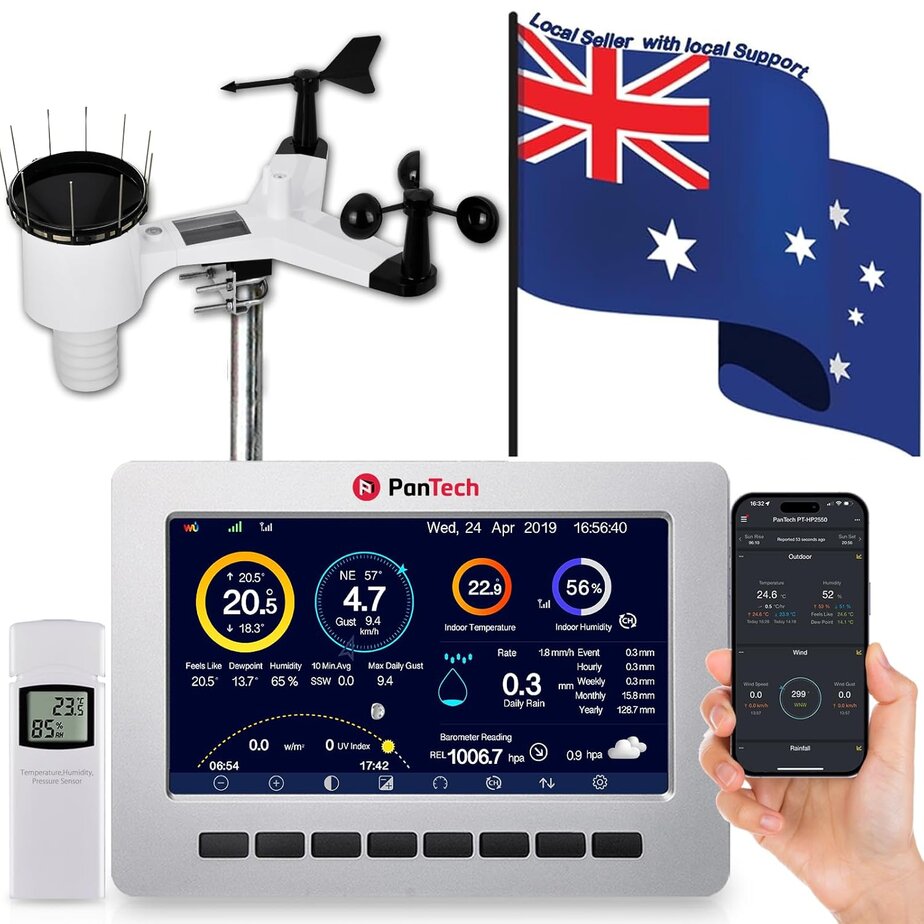
Yes. The PT‑HP2550 console forwards readings to the cloud so you can use a mobile app or web dashboard for live and historical charts.
Is it suitable for coastal areas?
Yes—when sited and maintained properly. Rinse salt spray during maintenance and check fasteners regularly.
What about bushfire safety?
Live wind and humidity help inform decisions, but they do not replace official warnings. Always follow agency advice.
Can I integrate with smart home systems?
Many users export data to third‑party dashboards or home servers. Check community guides for compatible bridges.
What warranty or support exists?
Purchase from an Australian seller/local business for local support, parts availability, and consumer guarantees.
Where to Buy (Australia)
Consider reputable Australian retailers and local businesses for warranty and fast shipping:
- Amazon Australia – wide accessory range and quick delivery.
Links & Manuals
- Bureau of Meteorology (BoM) – official Australian weather information and safety advice.
- Standards Australia – guidance on lightning protection and mast safety (see relevant AS/NZS standards).
- Energy.gov.au – electrical safety and energy efficiency tips for home devices.
Tip: Keep a PDF of your user manual on your phone so you can access maintenance steps at the mast.
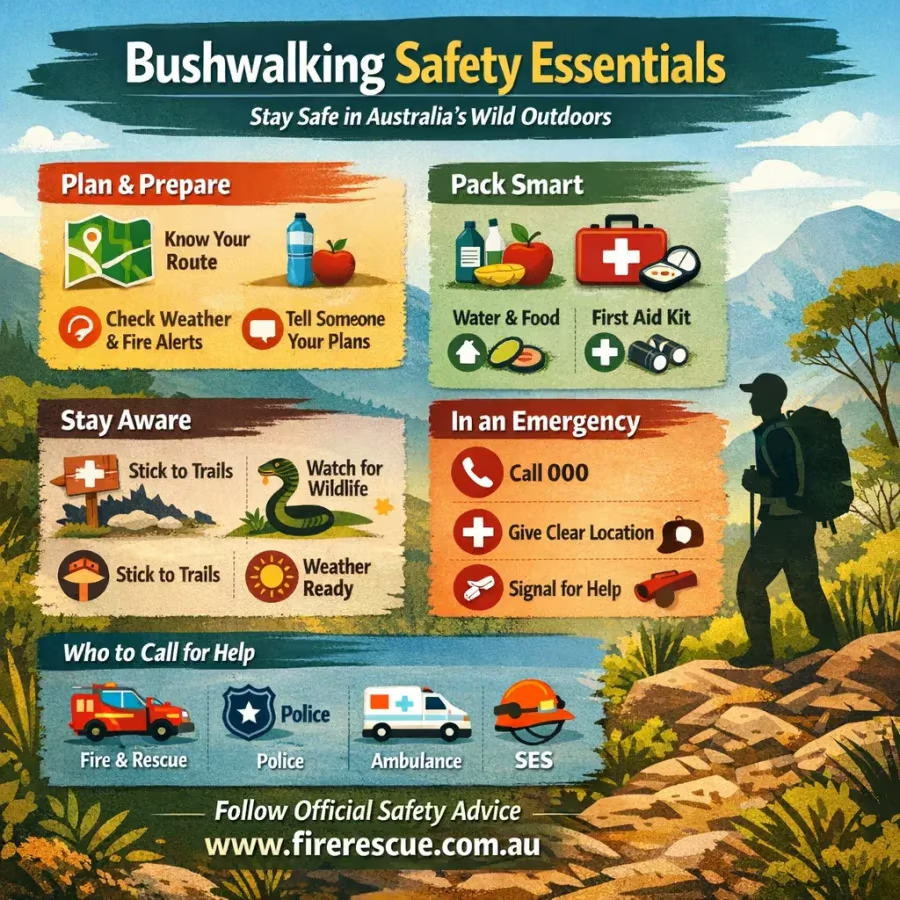
Emergency Contacts Quick List
Triple Zero (000)
VicEmergency
Local Council
For Professionals
Set up a dedicated station log noting sensor height (AGL), siting notes, and calibration dates. For comparisons, store parallel readings from reference instruments. When publishing community data, disclose siting context (roof ridge, 2 m in yard, 10 m tower, etc.) to avoid misinterpretation.
Credits & Review Notes
This guide is written for Australian conditions with a focus on practical safety and preparedness. It reflects common field practices for siting and maintaining community weather stations supporting local decision‑making by households, land managers and volunteer responders.